Tailscale: Connect to Remote servers as local ones
There’s a particular kind of dread that comes with self-hosting: you’re away from home, something needs urgent attention on one of your servers, and you’re staring at a firewall you don’t control, a hotel Wi-Fi that blocks everything, or a VPN setup that was “working fine last time.” I’ve been there more times than I care to admit.
About a year ago, I stumbled across Tailscale while going down a rabbit hole of self-hosting forums. I installed it somewhat skeptically, half-expecting another fiddly tool that would demand hours of configuration before it half-worked. Instead, I had my first two machines connected in under ten minutes — and I haven’t touched the configuration since.
This is the story of that year: what Tailscale is, how it works, why it’s changed the way I manage my infrastructure, and why I think it’s one of the best tools in the self-hosters’ toolkit today.
In this article
What Even Is Tailscale?
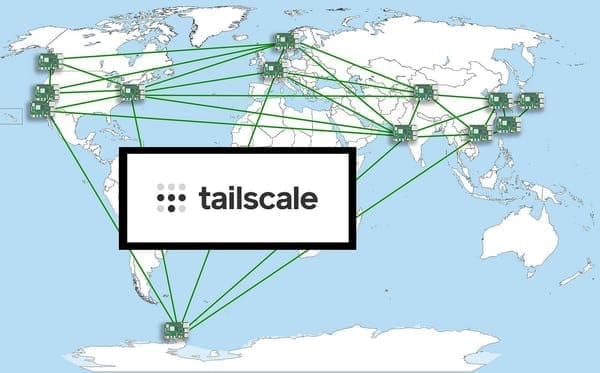
Tailscale is a mesh VPN built on top of WireGuard, the modern, blazing-fast tunnelling protocol that’s been baked into the Linux kernel since 5.6. But where raw WireGuard requires you to manually exchange public keys, configure peers, manage IP allocations, and punch holes through NAT yourself, Tailscale handles all of that automatically.
The mental model is simple: every device you add to your Tailscale network (called a tailnet) gets a stable private IP address in the 100.x.x.x range. These addresses are consistent — your YunoHost server will always be 100.x.x.y, your laptop 100.x.x.z — regardless of what physical network each device is on. They’re connected directly to each other using encrypted WireGuard tunnels, with Tailscale’s coordination servers handling the key exchange and peer discovery without ever seeing the actual traffic.
That last point matters: Tailscale never sees your data. Only the metadata needed to bootstrap connections passes through their servers. Everything else is peer-to-peer, end-to-end encrypted by WireGuard.
Installing It Is Almost Suspiciously Easy
On any Debian/Ubuntu-based machine — which covers most of us running YunoHost — installation is a single command: curl -fsSL https://tailscale.com/install.sh | sh
Then you bring the node up: sudo tailscale up
You get a URL, you open it in your browser to authenticate (via GitHub, Google, a Tailscale account, or your own SSO), and that’s it. The machine is on your tailnet. Repeat on every device you want connected — servers, VPS instances, your laptop, your phone — and they can all reach each other instantly.
No port forwarding. No static IP requirements. No firewall rules to punch through. It just works, even behind double-NAT or CGNAT, which is increasingly common with ISPs.
On Android and iOS there are native apps. On desktop, there are clients for Windows, macOS, and Linux. I have it running on my YunoHost home server, two VPS instances, and my daily-driver laptop, and every single one of those connections has been solid for twelve months straight.
Real Scenarios Where It Saved Me
SSH From Anywhere, Instantly: The most immediate win was SSH. I used to expose SSH on a non-standard port, wrap it behind fail2ban, and still feel vaguely nervous about it. Now, port 22 is firewalled completely on all my public-facing servers. SSH is only accessible over Tailscale. I connect with: ssh user@100.x.x.y
…and I’m in. No exposed attack surface. No brute force attempts in the logs. The port simply doesn’t exist to the outside world.
Accessing Self-Hosted Services Without Exposing Them: Some services running on my YunoHost instance are things I want accessible to me but not to the internet. Monitoring dashboards, internal wikis, admin panels — the kind of thing that probably shouldn’t have a public DNS record. With Tailscale, I just access them via the 100.x.x.x address on the relevant port. Locked down, private, but accessible from my phone or laptop wherever I am.
Syncing Files Between Machines With No Configuration: Tailscale integrates natively with Syncthing, and this combination is genuinely magical. I point Syncthing at my server’s Tailscale IP rather than its public IP, and file synchronisation works flawlessly from any network, with the traffic encrypted in transit via WireGuard. No relay servers, no latency overhead, no fuss.
Tailscale on a server as an Exit Node: For a while I configured one of my servers as a Tailscale exit node — essentially routing all my traffic through it when I needed to. This isn’t its primary use case, but the fact that it works is a testament to the flexibility of the architecture. One command on the server to advertise the exit node, one toggle in the app to use it. Done.
The Features That Genuinely Impressed Me
MagicDNS is one of Tailscale’s underrated gems. When enabled, every device on your tailnet gets a DNS hostname automatically — something like yunohost.tailnet-name.ts.net — and these hostnames resolve across all your devices with zero configuration. Instead of remembering 100.64.0.12, I just type homeserver and it resolves correctly. SSH configs, bookmarks, everything just uses the hostname.
ACLs (Access Control Lists) let you define fine-grained rules about which devices can talk to which. This is overkill for a personal setup, but if you share a tailnet with family members or colleagues, you can define exactly what they can reach. The ACL syntax is clean JSON-ish and the admin console gives you a visual traffic tester to verify your rules before applying them.
Tailscale SSH (an optional feature) takes things further by handling SSH authentication directly through Tailscale’s identity system, replacing SSH keys with identity-based access. I haven’t fully migrated to this yet, but the concept is sound and the implementation is elegant.
What It Doesn’t Do (And Where the Free Tier Ends)
Tailscale’s free Personal plan covers up to 3 users and 100 devices, which is more than enough for most self-hosters. The paid plans add features like more users, custom OIDC, network logs, and priority support — but I’ve never felt constrained by the free tier.
It’s also worth being clear: Tailscale is not a replacement for a public reverse proxy. If you want your YunoHost apps accessible to the general internet (which is the whole point of most of them), you still need your standard setup with nginx, Let’s Encrypt, and DNS. Tailscale is for the private access layer — administrative connections, internal services, and secure remote management.
Would I Recommend It?
Without hesitation.
If you self-host anything — whether it’s a single YunoHost instance at home or a constellation of VPS nodes across multiple providers — Tailscale is the cleanest, most reliable, and most secure way to tie them together. I’ve gone a full year without a single dropped connection I could attribute to Tailscale, without a single frustrating configuration session, and without once thinking “I wish I’d just exposed this port instead.”
It sits quietly in the background, does exactly what it promises, and removes an entire category of infrastructure anxiety from your life.
The WireGuard foundation means the encryption is modern and battle-tested. The coordination layer means the operational overhead is essentially zero. And the price — free, for personal use — means there’s no reason not to try it this afternoon.
If you’re on YunoHost, open a terminal, run the install script, authenticate, and add your laptop. You’ll be connected in ten minutes. And a year from now, you’ll wonder how you ever managed without it.