Opencode: A free way to code on any OS
Every new project starts the same way: a heavy IDE, a need for paid subscription for better results, and the quiet feeling that your code lives on someone else’s server.
I felt that friction for years — switching between Linux at home, a MacBook for work, and a Windows machine for gaming/testing, each with its own editor, its own AI plugin, its own monthly bill. Then I tried Opencode in a plain terminal, and the whole idea of a “code operating system” suddenly made sense.
Opencode is a free, open-source AI coding agent that lives where you already work: your terminal. No VS Code lock-in, no cloud IDE, no per-seat pricing. Just you, your files, and an assistant that runs on Linux, macOS and Windows exactly the same way.
In this article
The Setup: How the “No Lock-In” Actually Works
Most AI coding tools are tied to a single editor or a single cloud. You install a VS Code extension, you log into a web account, your keystrokes travel to a remote API, and you hope the free tier lasts.
Opencode flips that model. It is a local-first agent framework. You run opencode inside your project folder, it reads your files, your git history and your terminal context, and it works with the model you choose — local or hosted — without ever requiring a specific OS or IDE.
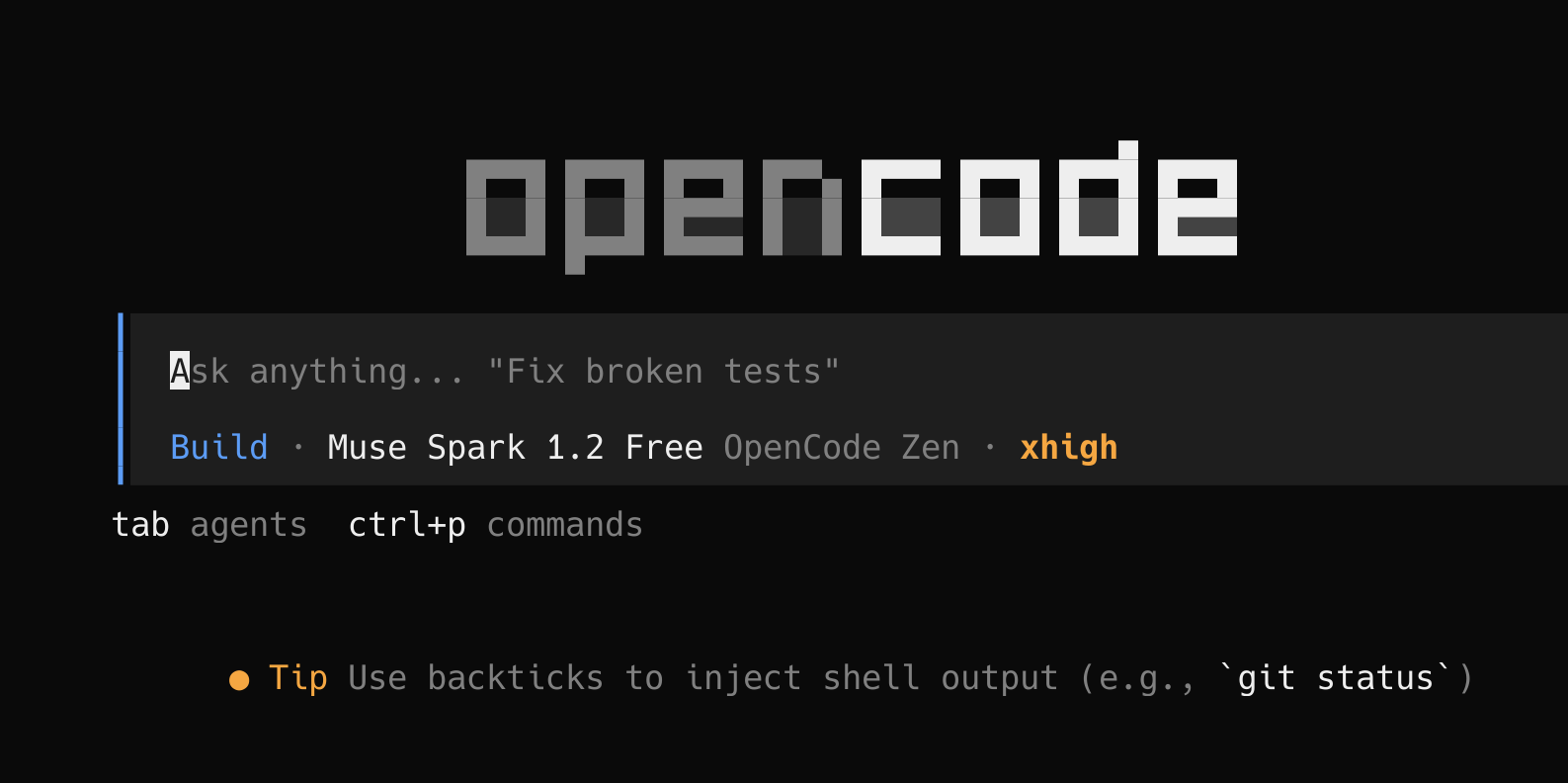
I run the exact same command on my Debian workstation, on a remote VPS and on a borrowed Windows laptop. The interface is identical, the skills and agents I’ve configured travel with the project, and my code never has to leave the machine unless I decide it should.
1. Truly Cross-Platform — One Command Everywhere
Windows, macOS or Linux — Opencode speaks the same language. It’s a single binary that runs in your terminal, not an Electron app wrapped around a browser.
- Linux — native TUI, works over SSH on your YunoHost or VPS
- macOS — same TUI in Terminal / iTerm, no Rosetta tricks
- Windows — PowerShell or Windows Terminal, identical workflow
2. Zero Subscription (For reasonable usage)
Copilot, Cursor and friends charge $10–$20/month forever. Opencode is free and open source — the agent itself costs nothing. You bring your own model key if you want a hosted model, or you point it at a local model and pay nothing at all. You can also use some pretty good free models (for a reasonable usage only) such as Big Pickle or Hy3 that are based on DeepSeek 4.
That matters if you self-host. I already pay for hardware, not rent. Opencode fits that philosophy: own your editor, own your agent, own your bill.
3. Privacy by Default — Your Code Stays Yours
When you paste a file into a cloud IDE, you’ve already given it away. With Opencode, the agent runs locally. File reads, git diffs and terminal context stay on your machine. If you use a local model, nothing leaves at all. If you use an API, only the prompt you approve is sent — no background scanning, no training on your repo.
Why This Matters
Taking control of your tools isn’t just for sysadmins. Installing Opencode takes a minute — download the binary, run opencode, and you’re in a conversational shell that understands your project. It fades into the background the way good tools should: you describe what you want, it edits files, runs tests, and shows diffs right in your terminal.
Self-hosting taught me to reject the default. Opencode is the same lesson for coding: you don’t need a browser tab, a login screen and a monthly invoice just to get help with a function. You already have the terminal. It’s time your assistant lived there too.
Resources
- Opencode Official Website: Docs, install guide and getting started — works on any OS.
- Opencode on GitHub: Source, issues and community — star it if you like the approach.
- Opencode Docs — Customize & Skills: How to add your own agents, skills and MCP tools.
- Termux on Android: Pair Opencode with Termux for a free coding setup on Android too.